Battleship
This is my rendition of the well-known game Battleship, written in Java. I wrote this game during the TDT4100 course back in 2022. The user interface was made in SceneBuilder and uses JavaFX. In the game you can play against the computer on either a 7x7 or 10x10 board. Games can be saved locally and continued later on. The first player (or computer) to sink the other's ships wins.
TL;DR
The game Battleship written in Java, with a JavaFX interface.
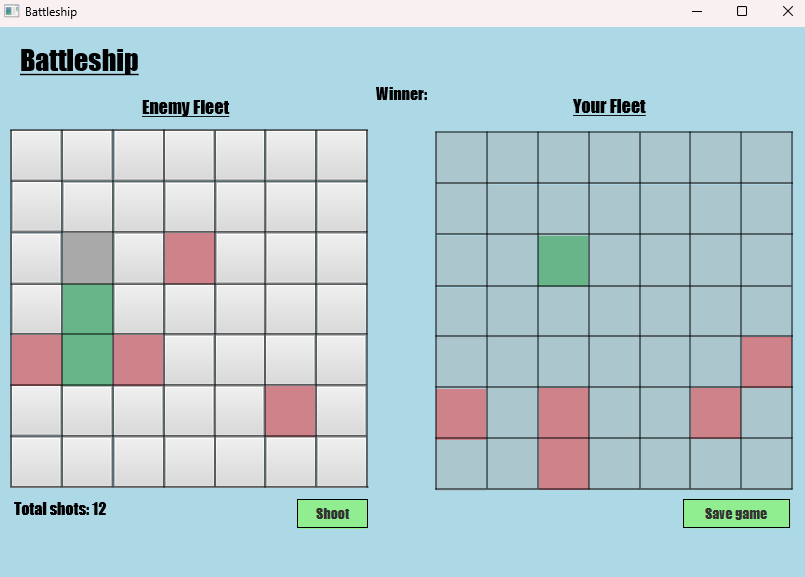
Main view of the game. Hits on ships are represented by green squares, misses by red ones. The user's board is on the right, and shows the computer's hits and misses. On the left, the computer's board is visible with the user's shots. The user can click the left board, followed by the 'Shoot' button to attack the computer. The computer will then instantly retalliate, until one player is victorious.
The computer uses simple logic to attack squares next to its correct guesses. If it has expended all adjacent squares, or the game has just started, it will guess randomly. It does not derive if it has actually sunk any ships.
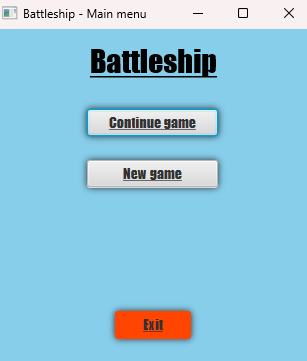
This is the start menu. From here the user can continue an existing game. This will open up the File Explorer in the game's save files directory. When saving a game, the defaultsave.txt file is used by default. The save file contains data about the board size and game state.
Clicking 'New game' will take you to the setup page instead. I don't think I need to explain what the 'Exit' button does...
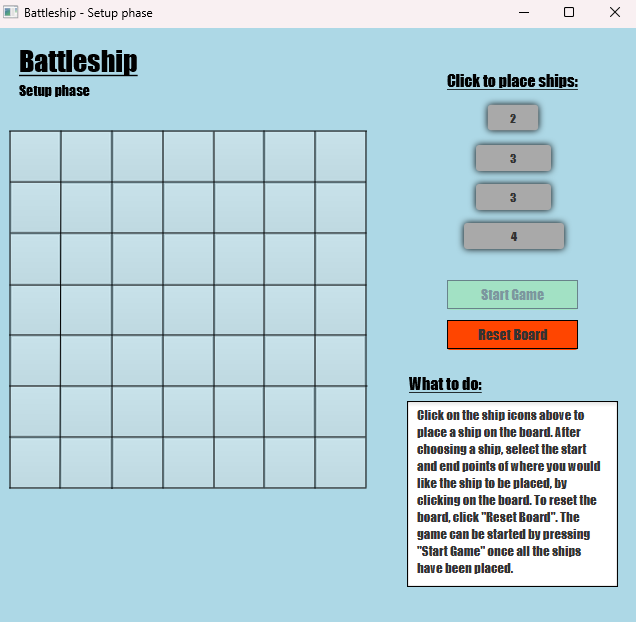
In the setup phase, the user will need to place all available ships before continuing. This is done by clicking on a ship, then selecting a start and end point on the board. Once all ships have been placed, the game can be started. The amount of ships depends on which board size is selected; the 10x10 board has an extra ship that spans five cells.
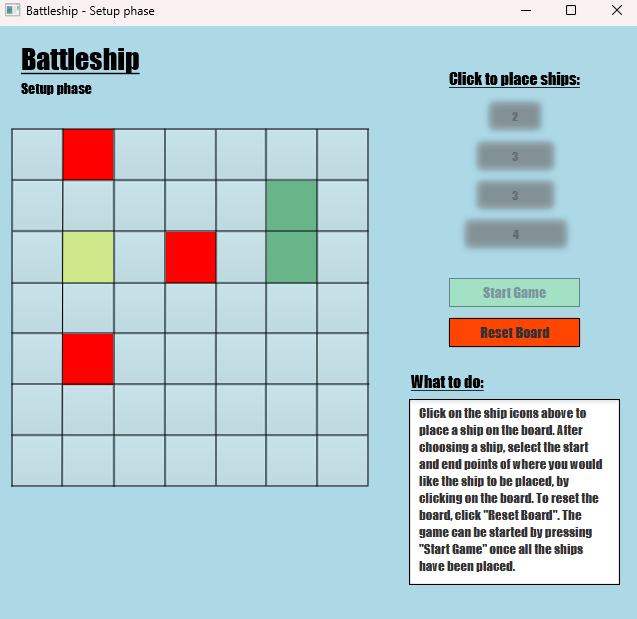
After selecting a start point, the available end points will be shown in red. Clicking on one of these will place the ship. This ensures ships are not placed on top of one another, or span outside of the board. If there are no available end points for a ship after selecting a start point, the user can reset the board. In the image one ship of size 2 has already been placed, and a ship of size 3 is currently being placed. All the ship icons have been disabled temporarily while the ship is being placed.
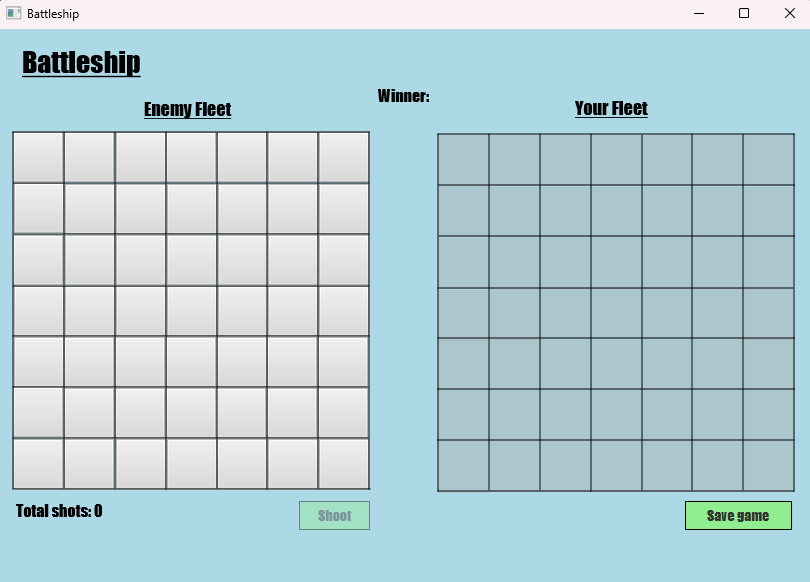
Depicted is the state of the game before the user has made any attacks. In this game, the user always goes first. The total number of shots are displayed beneath the left board.
The game can be saved by pressing "Save game" in the bottom right corner. This will open a File Explorer prompt to save to a .txt file in the save files directory.
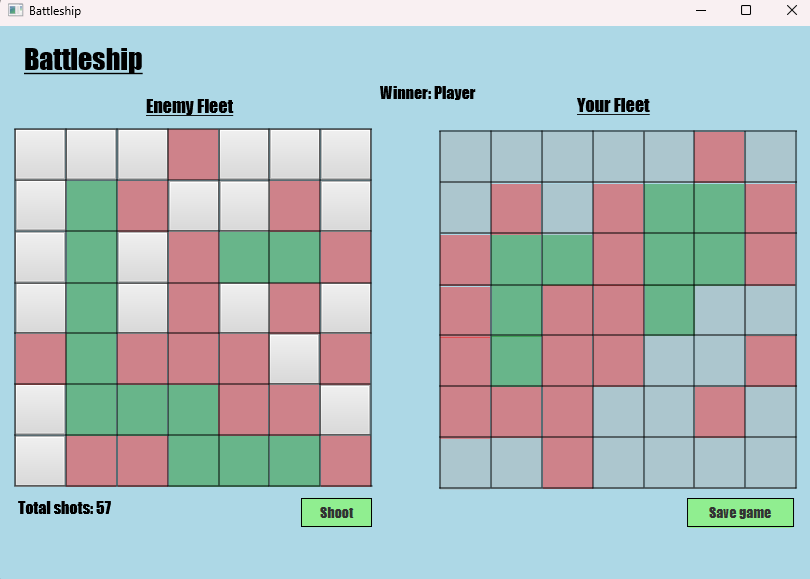
When a game has been won, the winner will be set at the top of the view. It will now no longer be possible to shoot, but the game can still be saved (for bragging rights).
The difference in strategy between the player and computer can be seen pretty clearly here. The computer's logic is very basic, but performs well if the user's ships are grouped close together.
Instructions for how to build and play the game can be viewed on GitHub, linked below.